Renewing Your Virginia Driver’s License Online
Renewing a Virginia driver’s license online can be convenient, but it is not always clear whether your record qualifies or what to do if the online service cannot finish the transaction. The safest approach is to check your renewal options with the Virginia Department of Motor Vehicles, prepare accurate information, and confirm what happens after you submit.
What an online Virginia license renewal can do
The Virginia Department of Motor Vehicles says Driver’s license and CDL renewals and replacements can be processed through Virginia DMV online driver services. It also says customers can perform driver’s license and commercial driver’s license (CDL) renewals through the Virginia DMV online services. That makes online renewal a possible route for eligible drivers, but it does not mean every license holder or every situation can be handled online.
The online service is the place to check whether the DMV can process your renewal using the information associated with your record. Follow the official service’s instructions and rely on the outcome it gives you, rather than assuming that a renewal is available just because you can open the website or sign in to an account.
An online renewal is different from an in-person visit in one important practical way: the service can only move forward using the options and information it makes available for your transaction. If the DMV identifies an issue that requires a different process, you may need to use another renewal method or resolve the issue before trying again. The online service’s result is more useful than a general assumption about what should qualify.
Online services can also save time when the transaction is straightforward. You can review the prompts at your own pace, check the details you enter, and avoid traveling to an office if the DMV confirms that the renewal can be completed online. The trade-off is that you may not be able to ask a staff member to review an unusual situation while you are filling out the transaction. If the service cannot resolve your case, an in-person or other official option may be more suitable.
Keep the purpose of the transaction in view. Renewing an existing Virginia driver’s license is not the same as applying for a first license, exchanging an out-of-state credential, replacing a lost card, or correcting a name or address. Some of those tasks may have separate online processes or require a different route. If your goal is to start a new application rather than renew an existing Virginia credential, see Starting a Virginia Driver’s License Application Online.
It also helps to separate the renewal itself from questions about the card or proof of driving privileges. Completing an online transaction does not necessarily tell you when a physical card will arrive or what you may show while waiting. For those concerns, read How to Track Your Virginia Driver’s License Delivery and Virginia License Expiring This Week: Proof of Driving Privileges. Use the information that applies to your specific transaction and confirm any time-sensitive question with the Virginia Department of Motor Vehicles.
Before you start the online renewal
A little preparation can make an online renewal easier and reduce the chance of entering information that does not match your DMV record. Start with the credential you are renewing and the information you use to identify yourself in the official service. Have your current license available if you can, and check that the details you enter agree with the information shown on it and the information the DMV has on file.
The official service may guide you through prompts specific to your situation. Read each one before continuing. If a question is unclear, do not guess merely to get through the screen. A mistaken response could send you down the wrong route or make it harder to understand why the transaction cannot proceed. Pause and check the DMV’s official instructions or contact the agency through its official support options if you need clarification.
Use the official DMV service
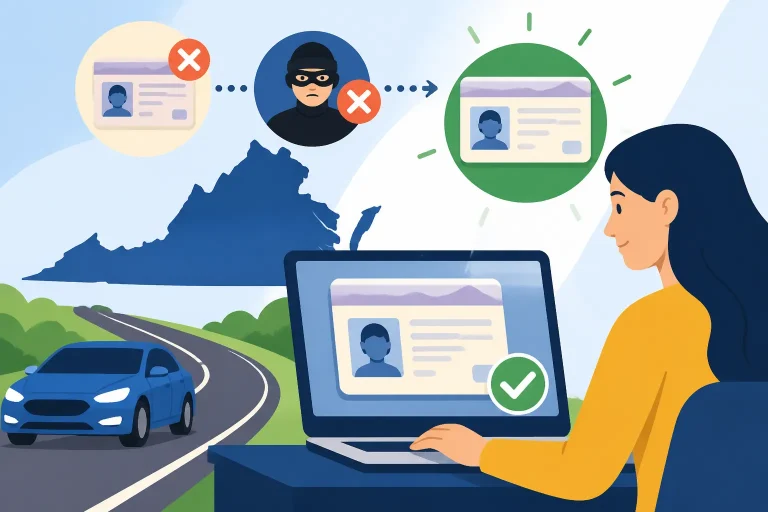
Start from the Virginia Department of Motor Vehicles’ official website and find its driver services. Be careful with search results, advertisements, messages, or pages that imitate an agency service. A renewal involves personal information, so the destination matters. Do not enter sensitive details into a page unless you are confident you are using the official DMV service.
If the service asks you to sign in or create an account, follow the prompts shown by the DMV. Account access can help connect you to the right transaction, but the account itself is not proof that a particular renewal is eligible or finished. For help with the account portion, see Starting an Online Account to Renew Your Virginia Driver’s License.
Review the information you will need
Before starting, check that you can provide the information the online process requests. The exact prompts may depend on the transaction, so use the official service rather than relying on a checklist from another driver. If the service asks you to confirm personal or contact details, review them carefully before submitting.
A few simple checks can prevent avoidable confusion:
- Make sure you are selecting a renewal, not a replacement or another driver transaction.
- Check that the identifying information you enter is accurate and consistent with your DMV record.
- Read any notices or eligibility messages before moving forward.
- Keep a note of the confirmation or transaction information the service provides.
- Use a device and connection that allow you to complete the transaction without interruptions.
Do not assume that a prior renewal, an account login, or an email reminder guarantees that you can renew online now. The official service must show that the current transaction can proceed. If your circumstances have changed since your last renewal, the service may present different options or require a separate step.
Make sure you understand the transaction
Before you submit, check what the DMV says you are renewing and what the service indicates will happen next. If a payment step appears, review the amount and the transaction details shown by the official service before authorizing it. Fees and payment options can change, so check the current figures directly with the Virginia Department of Motor Vehicles rather than relying on a remembered amount.
If the information on your credential does not reflect your current legal name, or if there is another record correction you need, consider whether renewal alone addresses that issue. A renewal is not necessarily the right way to correct every detail. The DMV may have a separate process, and the service should be your guide to the next step. See Updating Your Legal Name on a Virginia Driver’s License if that is part of your situation.
How to renew online
The exact screens and sequence can change, so follow the instructions currently shown by the Virginia Department of Motor Vehicles. These general steps explain how to approach the task without assuming that every driver will see the same prompts.
- Open the official driver services. Navigate to the Virginia DMV’s official online driver services and select the renewal option that matches your credential.
- Sign in or provide the information requested. If the service asks you to access an account or verify your identity, follow the official prompts. Check that you are using the right account and that the information belongs to the license holder.
- Review the eligibility result. The service may confirm that you can continue, offer a different route, or explain that the transaction cannot be completed online. Treat that result as specific to your record.
- Read the renewal details. Check the information the DMV displays about the transaction, including any details you are asked to confirm. Correct errors before proceeding.
- Complete each required prompt. Answer accurately and stop if you encounter a question you cannot answer confidently. Do not choose an option simply because it seems likely to make the system accept the transaction.
- Review the final transaction summary. Before submitting, check that the service is processing the intended renewal and that you understand the next steps it describes.
- Submit through the official service. Complete the transaction only through the DMV’s official process. If the service gives you a confirmation, save it or record the information for your files.
- Check the status and follow-up instructions. Use the confirmation or account information provided by the DMV to see whether any further action is needed. Do not treat an unfinished screen or an unverified payment as proof that the renewal is complete.
The most important point is to distinguish between starting the process and finishing it. Opening a renewal page, entering information, or signing in does not by itself renew a license. Look for a clear completion message or other status information from the official DMV service. If you are unsure whether the transaction went through, check its status before submitting again. Repeating a transaction without checking can create uncertainty about whether the DMV received it or whether a payment was processed.
If the service stops you, read the entire message. It may explain that a different method is needed or identify a next step. Save the wording or take a note of what the service says, without sharing sensitive account information in an unsecured place. That record can help you explain the issue if you contact the Virginia Department of Motor Vehicles.
For a broader look at the trade-offs between digital and counter services, see Virginia DMV Online Services vs In-Person Trips. If you have already determined that an office visit is needed, Renewing Your Virginia Driver’s License in Person explains that route. Do not make a trip based only on a vague error message when the official service provides a specific instruction you can follow another way.
Who should check eligibility before relying on online renewal
Because online services handle transactions through the DMV’s available options, checking eligibility should come before making plans around an online renewal. Do not assume that a driver can renew online simply because another person with a Virginia license did so. The other person may have a different record, credential, or renewal circumstance.
The best first step is to enter the renewal service through the official Virginia DMV channel and see what it says about your transaction. If it allows you to proceed, continue carefully. If it tells you that online renewal is unavailable, follow the alternative it gives or check the DMV’s official guidance for the relevant situation.
There are several reasons to pause and verify the correct route rather than pressing ahead:
- The service says the transaction cannot be completed online. Follow the message or ask the DMV what official next step applies.
- The credential or transaction type is unclear. A renewal, replacement, first-time application, and record update are not interchangeable.
- Your personal information does not match your record. Check whether the issue needs to be corrected before renewal.
- You have a question about your driving status. A renewal transaction may not answer whether a separate hold or other issue affects your record.
- You need to drive while waiting for a new card. Confirm what the DMV says applies to your circumstances instead of assuming that a submission receipt is sufficient.
- You are renewing a commercial credential. The DMV includes CDL renewals in its online-services information, but follow the service’s specific prompts and requirements for your credential.
If the online service is unavailable for your situation, that does not necessarily mean you cannot renew. It means the online route may not be the right one for that transaction. The Virginia Department of Motor Vehicles provides other renewal options, and the appropriate one depends on the instructions that apply to your record. Compare Renewing Your Virginia Driver’s License in Person with How to Renew Your Virginia Driver’s License by Mail if you are considering another method. Check the DMV’s current rules before choosing, because availability and requirements are specific to the transaction.
Some drivers may be trying to handle more than one issue at once. For example, you may need to renew and also update a name, address, or other record detail. Avoid assuming that completing a renewal automatically takes care of every separate change. Check the DMV’s instructions for each task and whether it can be completed in the same transaction. If the online service does not show the change you need, ask the agency what process applies before submitting.
Likewise, do not mistake a reminder or notification for an eligibility decision. A message may tell you that a credential is approaching its renewal point, but the actual online service is where you should confirm whether your transaction can be completed digitally. If the message itself seems suspicious, access driver services by navigating to the DMV’s official site rather than clicking an unexpected link.
After you submit the renewal
Once you have submitted an online renewal, keep track of what the service says happened. The confirmation, status, and follow-up instructions are more dependable than a recollection of which buttons you selected. Save the information in a place you can access later, and avoid storing account credentials or sensitive personal information in an unsafe location.
Check whether the service gives a completion message, a transaction reference, or an instruction to take another step. If it says the transaction is pending, incomplete, or needs attention, treat it accordingly. A screen that confirms receipt of information is not automatically the same as confirmation that the credential has been renewed. Use the status tools the DMV provides or contact the Virginia Department of Motor Vehicles through its official support channels if the status is unclear.
Keep confirmation separate from permission to drive
Drivers often have two separate questions after submitting: whether the renewal transaction is complete and what they may use as proof of driving privileges while waiting for a credential. Do not assume that an online receipt answers both questions. Read the DMV’s official instructions for any temporary confirmation or other proof associated with your particular transaction.
If your current license is close to its expiration, check the specific guidance that applies to your situation before driving. Avoid relying on a general rule from a friend, an old receipt, or another state’s process. The DMV’s information about the transaction is the place to confirm what applies. Related reading includes Renewing at the Last Minute: How Virginia Temp Receipts Work and Handling an Expired Virginia License While Waiting for Mail.
Watch for delivery or follow-up issues
If the DMV says a physical credential will be mailed, follow the delivery instructions it provides and make sure you understand how to check the transaction’s status. Do not assume that a card has been produced or sent just because the online renewal was submitted. If the expected next step does not appear, use the official DMV tracking or support options to determine what is happening.
Check that the mailing information shown or confirmed during the transaction is correct. If there is a question about a delayed or missing card, consult How to Track Your Virginia Driver’s License Delivery. The answer may depend on the specific status of your renewal, so have the confirmation information available when you check.
If you think you submitted the renewal but cannot find a confirmation, review your account or transaction status before starting over. A duplicate submission may not solve a transaction that is already in progress, and it can make it harder to tell which action the DMV received. If the status is not clear, ask the agency through its official channels.
If something goes wrong
An interrupted session, declined payment, error message, or missing confirmation can leave you unsure what to do. Start by checking whether the DMV shows a transaction status. Then follow the instructions associated with that status. If you need help, describe the issue without sending account passwords or other sensitive information in an unsecured message.
If the service shows that the transaction cannot proceed, do not keep trying different answers to bypass the restriction. The problem may be that another process is needed, or that a detail in your record needs attention. The DMV can tell you which official route applies. For common online-renewal barriers, see Common Disqualifiers That Block Virginia Online License Renewal. Use that information as a prompt to check your own situation, not as a substitute for the result shown by your official DMV record.
Choosing online, in-person, or mail renewal
Online renewal is useful when the Virginia Department of Motor Vehicles offers it for your transaction and you can complete the prompts successfully. It may be less suitable when the service directs you to another route, when your record needs attention, or when you need help with a question that the online flow does not resolve.
An office visit can be a better fit when the DMV specifically requires an in-person step or when the nature of the problem makes a digital transaction impractical. Before traveling, check which service location handles your task and what documents or information the DMV says to bring. Find the nearest office and its current hours with the official agency’s office locator. An office visit is not automatically faster or simpler; it depends on the task and the instructions that apply.
Mail renewal may be an option for some drivers, but do not assume it is available or that it works the same way as online renewal. Check the DMV’s current instructions for your record and transaction. If you are comparing these methods, Virginia DMV Online Services vs In-Person Trips offers a useful starting point, while How to Renew Your Virginia Driver’s License by Mail covers the mail route.
| Renewal route | When it may make sense | What to confirm |
|---|---|---|
| Online | The official Virginia DMV service offers online renewal for your transaction and allows you to proceed | Eligibility, information entered, transaction status, and any follow-up instructions |
| In person | The DMV directs you to an office or your issue needs an in-person process | The correct office, current hours, documents, and whether an appointment or other check-in step applies |
| By mail | The DMV’s current instructions show that mail renewal is available for your situation | Eligibility, required materials, where to send them, and how the DMV will confirm or process the renewal |
The table is a way to organize your decision, not a promise that every route is open to every driver. The Virginia DMV’s instructions for your record should settle which options apply. If you are unsure, check before you spend time preparing a mail packet or traveling to an office.
Make the choice based on the task, not just convenience
It is tempting to choose the route that seems easiest and then try to make the transaction fit. A more reliable approach is to identify the task first. Are you renewing an existing Virginia license? Replacing a credential that is lost or damaged? Correcting information? Applying for a Virginia license for the first time? Once you have the right task, check which methods the DMV offers for it.
For a lost or stolen license, the relevant service may be replacement rather than renewal. See Replacing a Lost or Stolen Virginia Driver’s License Online before choosing a renewal option. If you have an out-of-state credential and are moving to Virginia, a transfer process may apply instead; Transferring an Out-of-State Driver’s License to Virginia addresses that different situation.
This distinction can prevent a common frustration: reaching the end of an online process only to learn that it was designed for a different transaction. Choosing the right service at the start makes it easier to understand the prompts and the outcome.
Avoiding common mistakes
Online renewal is generally a sequence of decisions and confirmations. Most avoidable problems come from rushing, assuming that a similar transaction must work the same way, or failing to check what the service says after submission.
Selecting the wrong service. A renewal is not the same as a replacement or an initial application. Read the service name and transaction description before entering information. If you are not sure which one applies, check the DMV’s official guidance.
Guessing at a response. If a question does not fit your situation or you do not understand it, pause. Guessing can lead to an incorrect submission or an eligibility result you do not understand. Use the DMV’s explanation or official support rather than trying to force the form through.
Assuming account access means approval. Being able to sign in does not necessarily mean the renewal is eligible or complete. The renewal service’s own result matters.
Stopping before confirmation. A partly completed form, a payment screen, or a return to an account page may not confirm the transaction. Check for a clear status or completion notice.
Submitting repeatedly without checking. If you are unsure whether the first attempt worked, review the transaction status or ask the DMV before beginning again. This helps avoid confusion about submissions and payments.
Ignoring a mismatch. If your address, name, or another detail does not match the record or the credential, find out whether the discrepancy needs a separate update. Do not assume renewal alone will correct it.
Relying on an old checklist. Online procedures and instructions can change. Use the current Virginia DMV service and its displayed requirements rather than a saved screenshot or a checklist from a previous transaction.
Treating a reminder as a completed renewal. An email, text, or mailed notice may prompt you to act, but it is not a substitute for completing and verifying the official transaction. If you receive an unexpected message, go directly to the official DMV service rather than following an unfamiliar link.
Waiting until the last moment without checking alternatives. If the online service does not allow you to proceed, you may need time to use another official method. Check the DMV’s instructions early enough to understand your options. If you are already close to expiration, read Renewing at the Last Minute: How Virginia Temp Receipts Work and confirm the rules that apply to your own transaction.
Assuming all online services use the same steps. A driver’s license renewal, CDL renewal, replacement, address update, and vehicle transaction can have different prompts. Select the driver service that matches the job in front of you and follow its instructions instead of generalizing from another DMV task.
A careful review before submission and a status check afterward are small steps that can prevent a much larger headache. If anything in the transaction conflicts with your records or you cannot tell whether it was completed, stop and confirm with the Virginia Department of Motor Vehicles.
Frequently Asked Questions
Can I renew my Virginia driver’s license online?
The Virginia Department of Motor Vehicles says customers can perform driver’s license and commercial driver’s license (CDL) renewals through the Virginia DMV online services. Check the official service to confirm whether your own renewal can be completed online.
Can I renew a CDL through Virginia DMV online services?
The Virginia Department of Motor Vehicles includes CDL renewals among the transactions that can be processed through its online driver services. Follow the CDL-specific prompts and confirm that the service allows your transaction to proceed.
Does signing in mean my renewal is complete?
No. Account access is not the same as confirmation that the renewal was submitted or completed. Check the transaction status and follow any instructions the official service provides.
What should I do if the online service will not let me renew?
Read the message carefully and follow the next step it gives. If the correct route is not clear, check the Virginia Department of Motor Vehicles’ official guidance or contact the agency through its official support options. Do not keep submitting guesses to bypass the message.
How do I know whether I can drive while waiting for a renewed card?
Do not assume that a submission receipt or confirmation answers that question. Check the official DMV instructions for your specific transaction and confirm what proof, if any, applies while you wait.
Sources
- Virginia Department of Motor Vehicles — Online Services | Virginia Department of Motor Vehicles (checked November 11, 2026)
Disclaimer
This article is for general informational purposes only and does not constitute professional advice. Laws, prices and regulations vary by location and change over time. Consult a qualified professional for guidance on your specific situation. Virginia Driver Guide is not a government agency and is not affiliated with any state motor vehicle department.